
Quick Access to Your Saved Searches
-
Hello everyone!
On GoFAST, you can quickly access your saved searches using the quick access button.
To save a search, simply run a search and click the “Save” icon.
Then choose a name for your saved search.You can find your saved searches from the dropdown arrow next to the search bar.
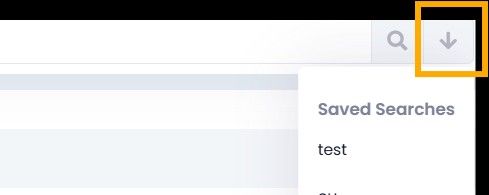
This feature is available everywhere on your GoFAST platform, so you can launch your searches at any time without having to set them up again.
Did you already know this feature? Is it easy to use?
Feel free to share your feedback.
The CEO-Vision Team

Hello! It looks like you're interested in this conversation, but you don't have an account yet.
Getting fed up of having to scroll through the same posts each visit? When you register for an account, you'll always come back to exactly where you were before, and choose to be notified of new replies (either via email, or push notification). You'll also be able to save bookmarks and upvote posts to show your appreciation to other community members.
With your input, this post could be even better 💗
Register Login