
Chrome(ium) : Changer le programme par défaut "Editer à partir de mon PC"
-
Sous les navigateurs Chrome (ou EDGE-Chromium), si l'on veut changer l'application par défaut (exemple LibreOffice au lieu Word) lors de l''édition à partir du PC (édition en ligne) il faut changer le protocole par défaut ("URL Word Protocol") associé à ce programme.
Pour rappel, un grand plus de Firefox à ce sujet, est que l'on peut choisir l'association à chaque édition en ligne, ouvrir une fois à Word, la fois suivante sur LibreOffice, etc, ...Windows 10
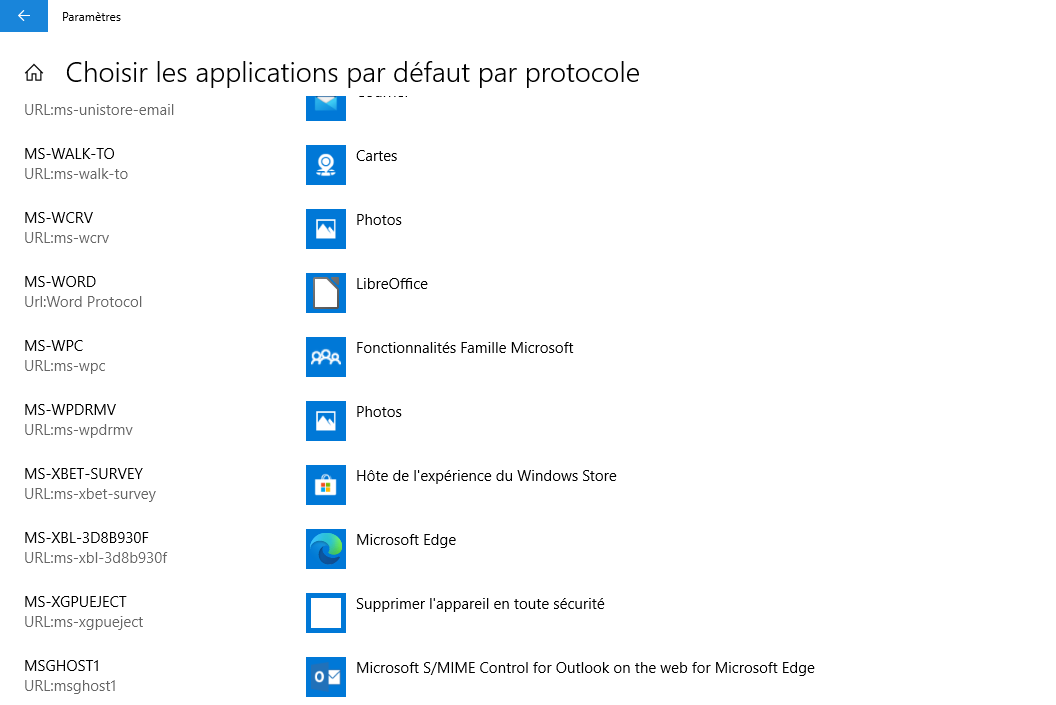
Windows 7
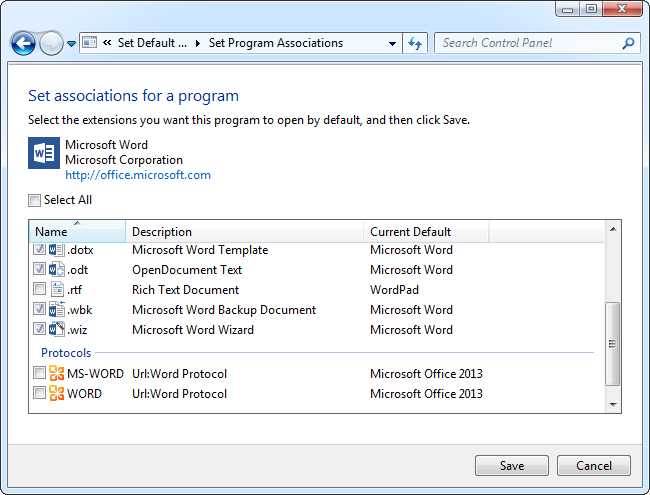

Hello! It looks like you're interested in this conversation, but you don't have an account yet.
Getting fed up of having to scroll through the same posts each visit? When you register for an account, you'll always come back to exactly where you were before, and choose to be notified of new replies (either via email, or push notification). You'll also be able to save bookmarks and upvote posts to show your appreciation to other community members.
With your input, this post could be even better 💗
Register Login