Skip to content
  • Categories
  • Recent
  • Popular
Collapse
Brand Logo
  1. Home
  2. Categories
  3. Meilleures pratiques
  4. Comment mettre sur GoFAST des documents ou photos en mobilité (iOS/Android)

Comment mettre sur GoFAST des documents ou photos en mobilité (iOS/Android)

Scheduled Pinned Locked Moved Meilleures pratiques
1 Posts 1 Posters 290 Views 1 Watching
  • Oldest to Newest
  • Newest to Oldest
  • Most Votes
Reply
  • Reply as topic
Log in to reply
This topic has been deleted. Only users with topic management privileges can see it.
  • cpotterC Offline
    cpotterC Offline
    cpotter
    ADMIN
    wrote on last edited by
    #1

    Plusieurs solutions sont possibles et opérationnelles :

    • avec l'interface GoFAST
    • avec Onlyoffice pour smartphone
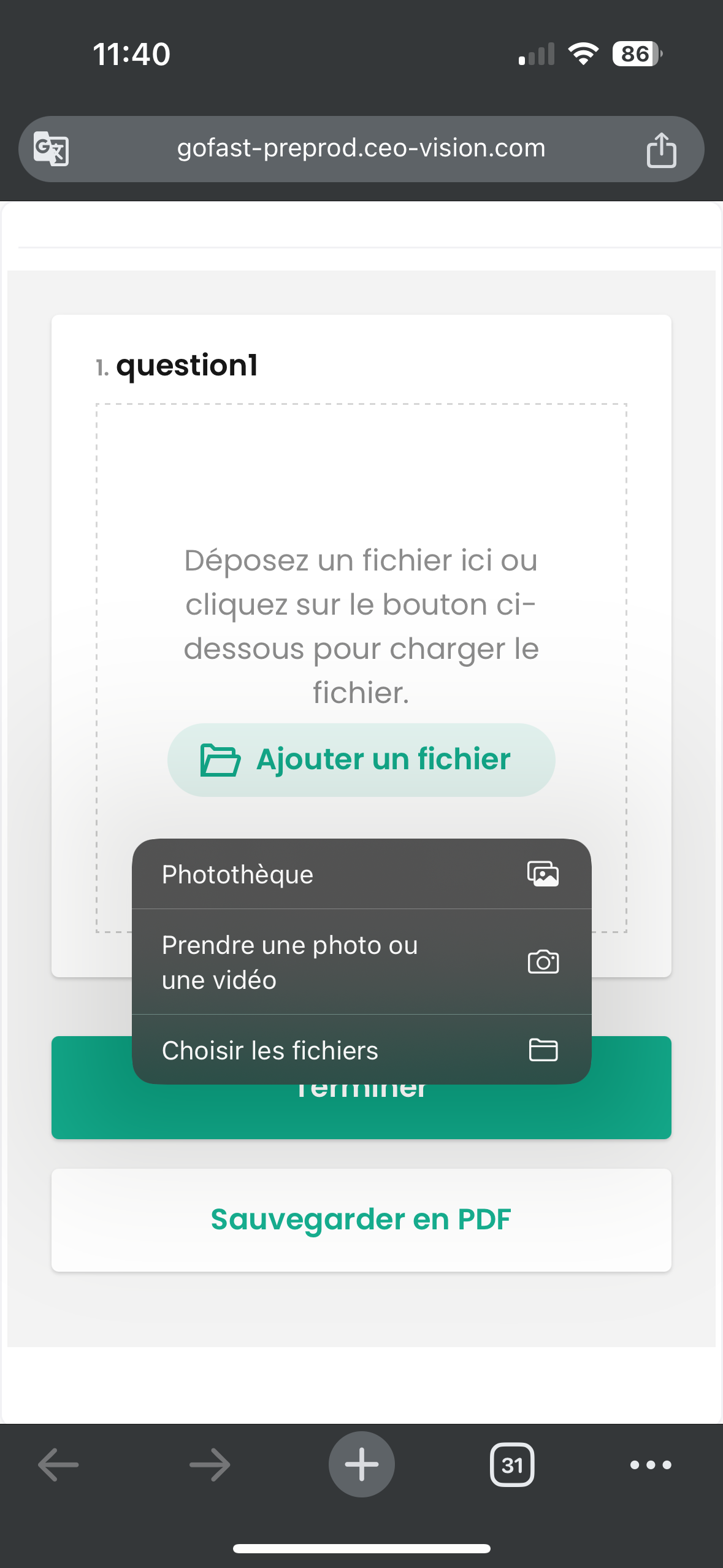
    • avec les nouveaux formulaires GoFAST v4.4

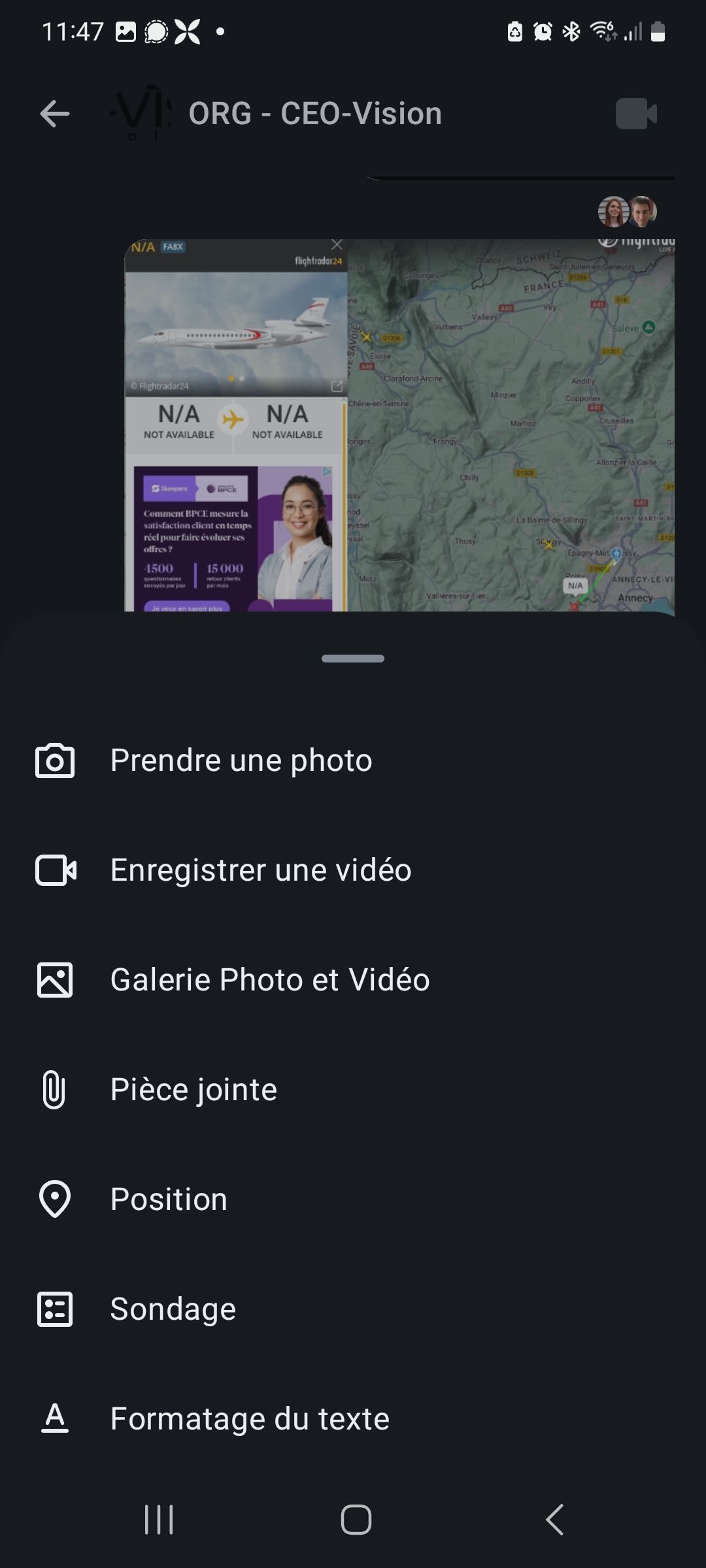
    et dans un salon de discussion

    • avec Element
    1. Interface GoFAST

    Cliquer sur le (+) et choisir le fichier en local ou prendre une photo (iOS uniquement)
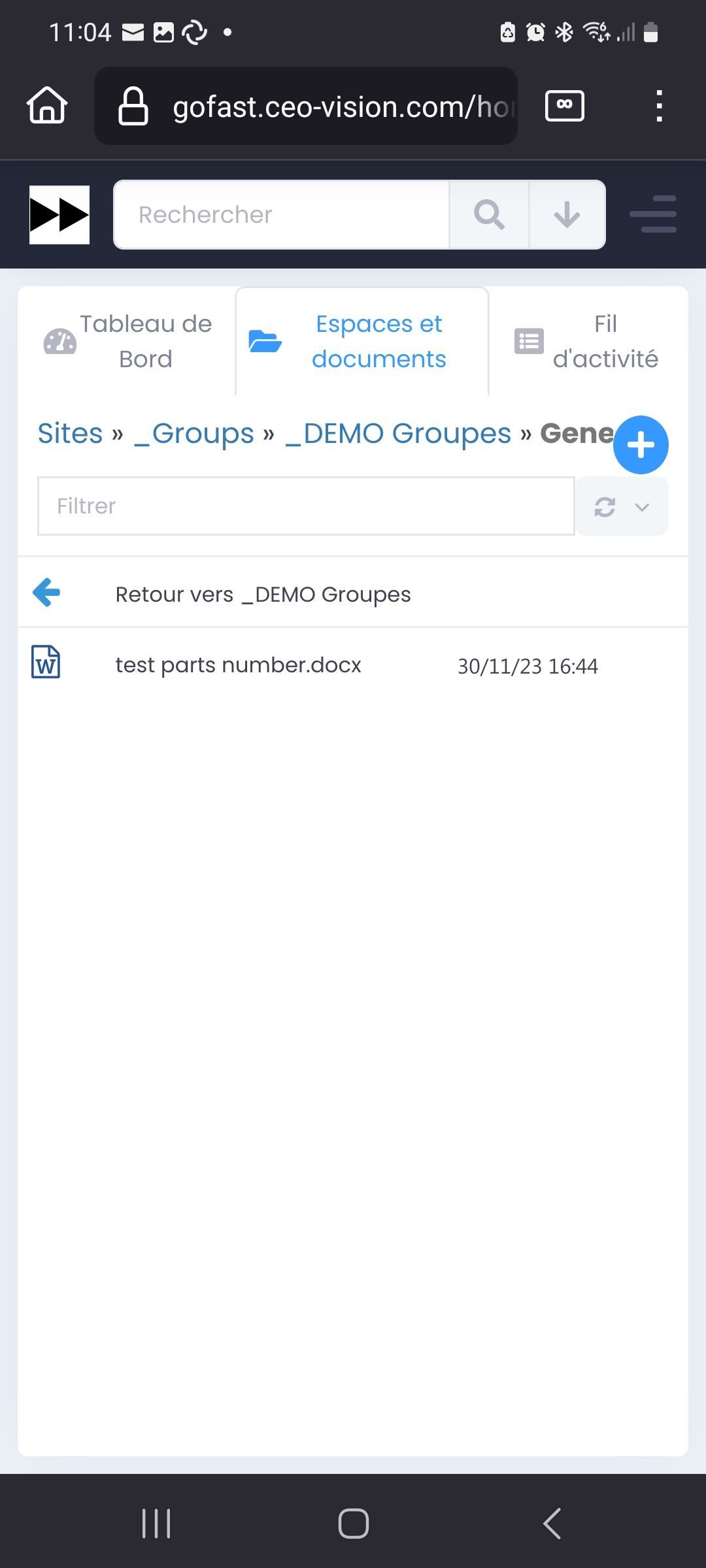
    dYMQdzEIEvYbyvCCDPkgrGvz.jpg

    1. Onlyoffice

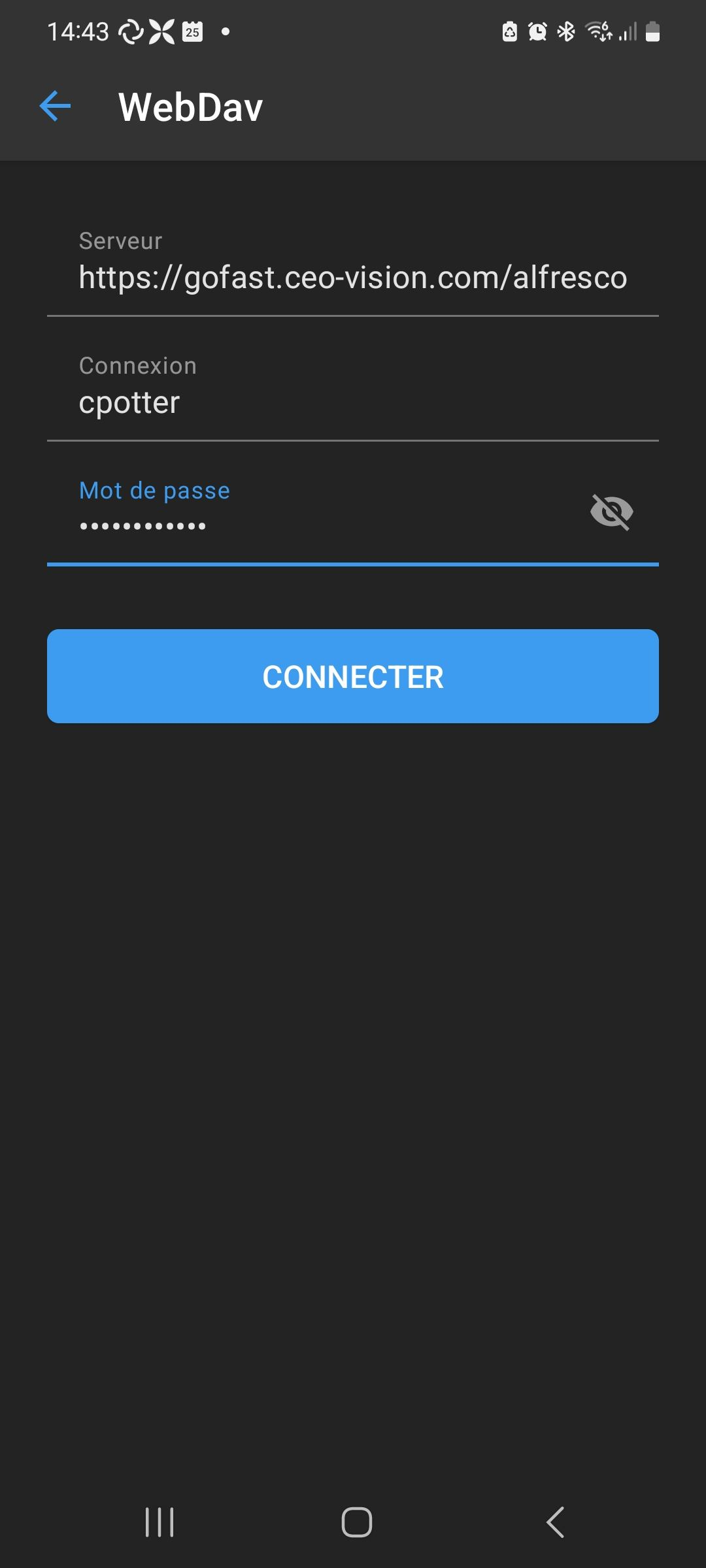
    Configurer la connexion à GoFAST :
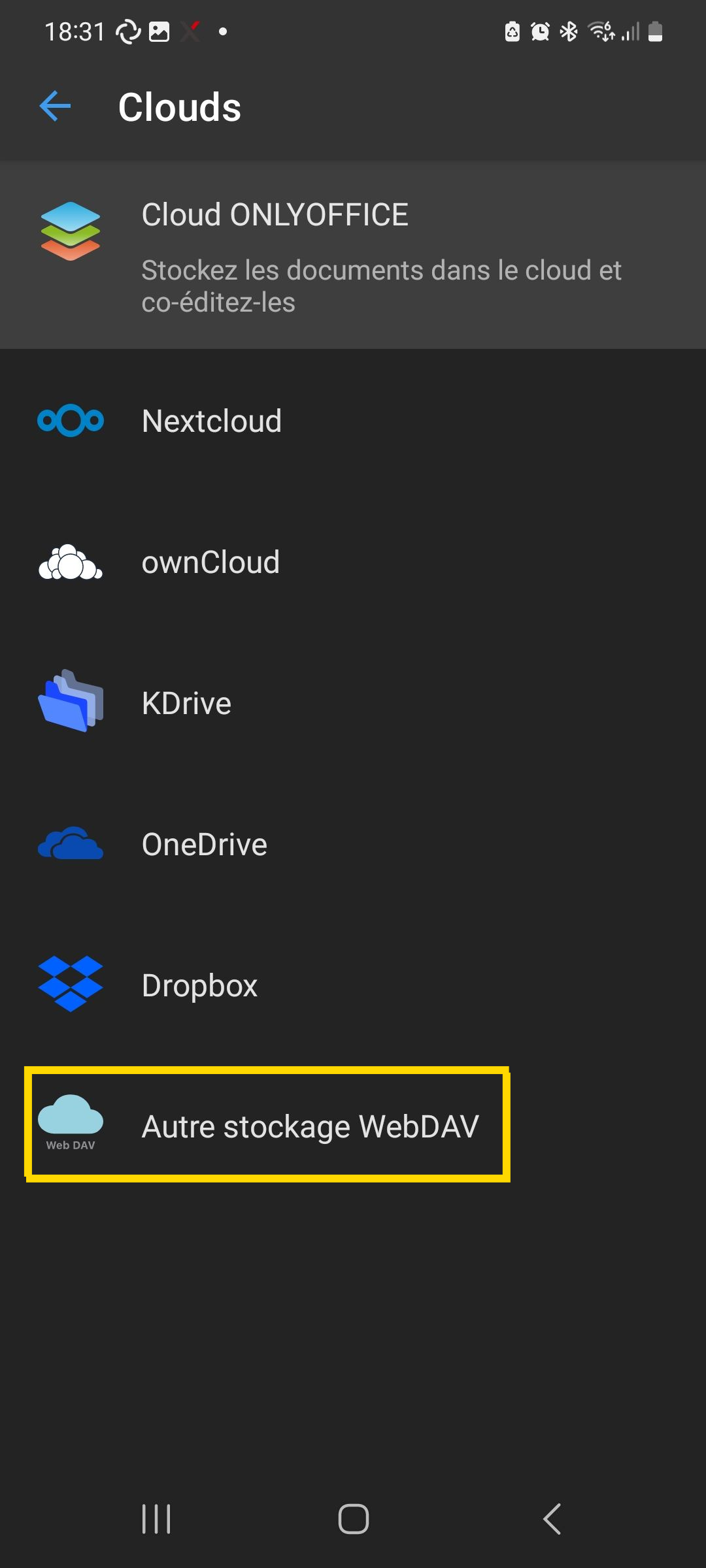
    Screenshot_20250225_183131_ONLYOFFICE Documents.png

    Entrer l'adresse de votre serveur GoFAST : avec /alfresco/webdav à la fin, ex.: https://gofast.ceo-vision.com/alfresco/webdav
    1000020907.png

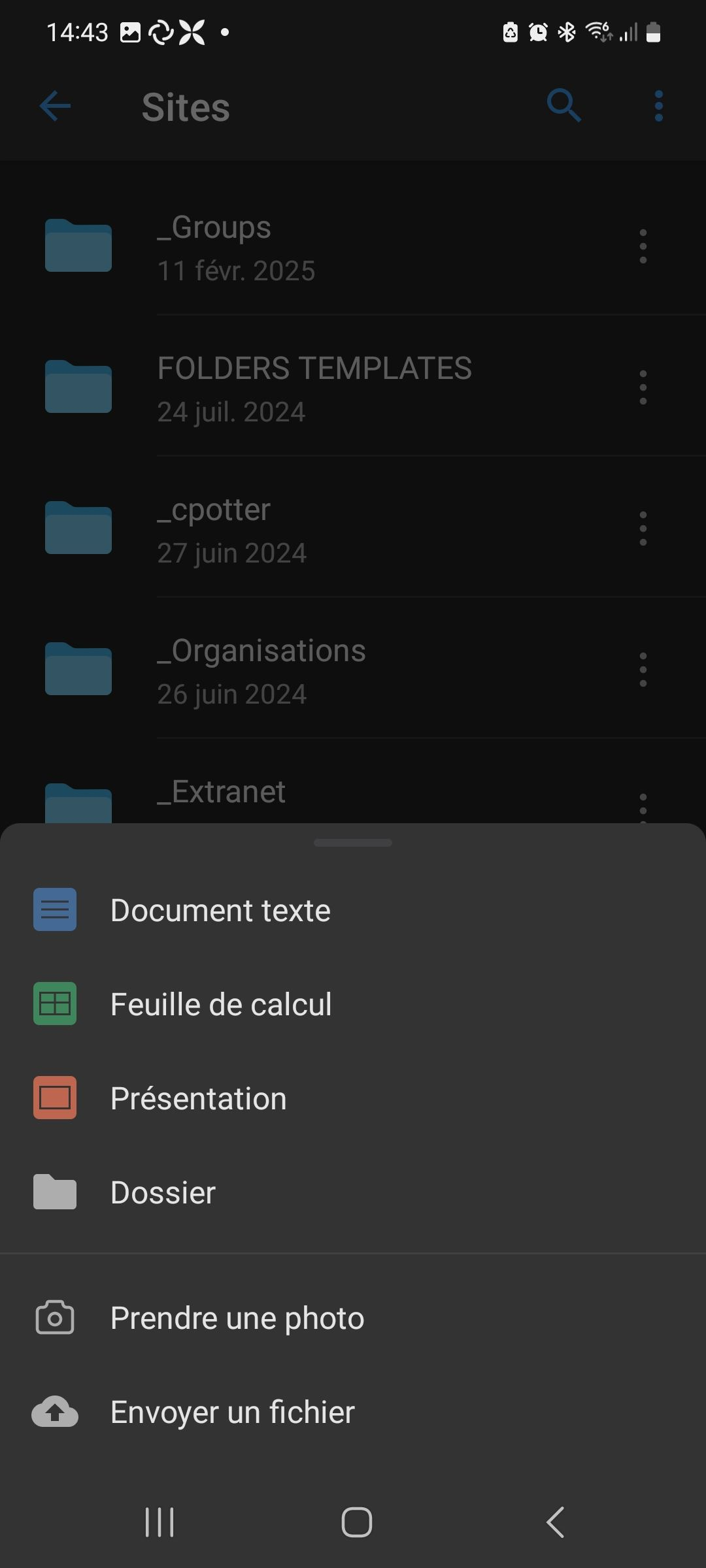
    Choisir son emplacement et envoyer un fichier local ou prendre une photo :
    wKaepxjymMbKNOniAdSFbiHq.png

    1. Avec les formulaires en GoFAST v4.4

    ima_c1648c5.png

    1. Avec Element (envoi dans un salon)

    yHQMkuXIAstEvJjwKKqmZsUC.jpg

    Christopher Potter
    Fondateur & Président / Founder & President,
    CEO-Vision S.A.S

    1 Reply Last reply
    0

    Hello! It looks like you're interested in this conversation, but you don't have an account yet.

    Getting fed up of having to scroll through the same posts each visit? When you register for an account, you'll always come back to exactly where you were before, and choose to be notified of new replies (either via email, or push notification). You'll also be able to save bookmarks and upvote posts to show your appreciation to other community members.

    With your input, this post could be even better 💗

    Register Login
    Reply
    • Reply as topic
    Log in to reply
    • Oldest to Newest
    • Newest to Oldest
    • Most Votes


    • Login

    • Don't have an account? Register

    • Search
    • First post
      Last post
    0
    • Categories
    • Recent
    • Popular
    • Search