Forms on GoFAST: how does it work?
-
Hello everyone,
GoFAST provides a form tool to easily collect feedback or information from your colleagues.
To access it, from the interface, click on the grey arrow (1), then on "Web Forms" (2), then on the "Plus" button to create a new form (3).
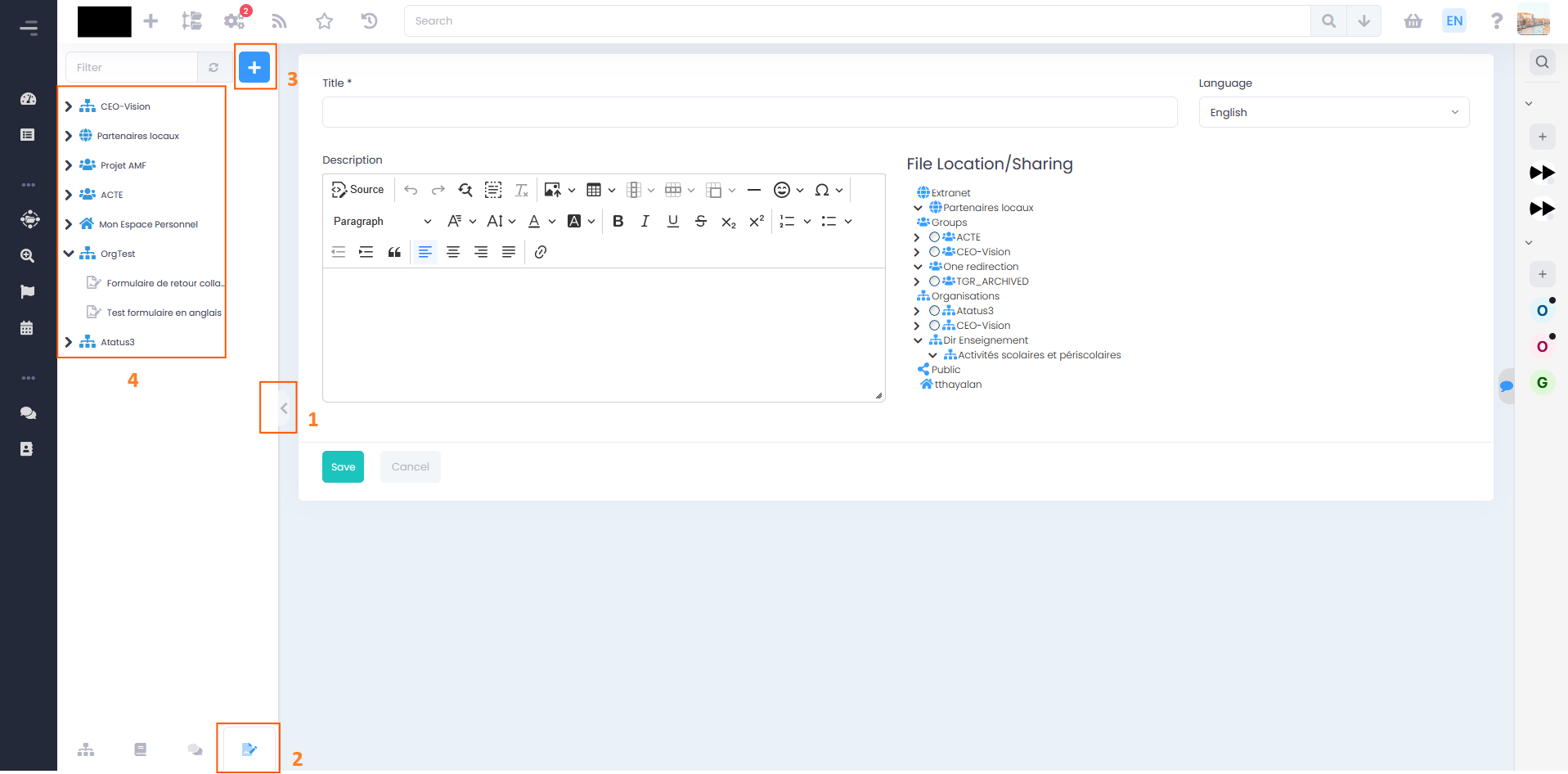
Please note: a form can only be saved in a space you have access to. Spaces containing forms appear in the left-hand menu (4).
How to build a form?
Once created, you are taken to the editing page.
In the left panel (1), you will find the different types of questions available: checkboxes, drop-down lists, ratings, etc. You can change the question type using the question's drop-down menu (2).
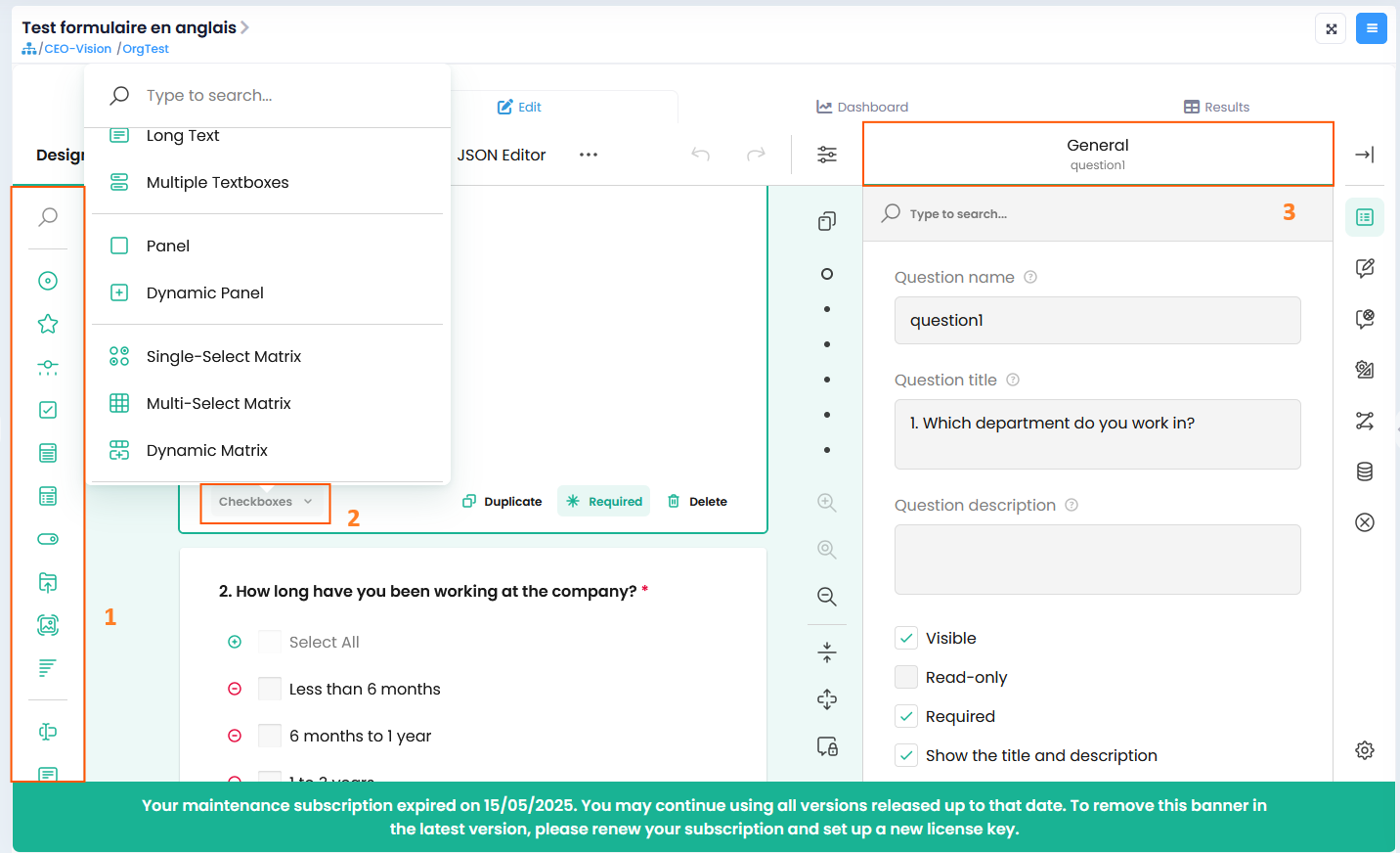
You can also add titles, a description, and make certain questions mandatory depending on your needs. The "General" tab (3) allows you to configure additional settings for each section (label, formatting, etc.).
When should you use forms?
Here are a few examples of use cases:
· Internal satisfaction survey or training evaluation: You can use the form to measure your employees' well-being and obtain concrete figures (average score, satisfaction rate, areas for improvement). All responses will be centralised and accessible over time.
· Field information gathering: You can also collect data from your teams (availability, training needs, customer feedback).
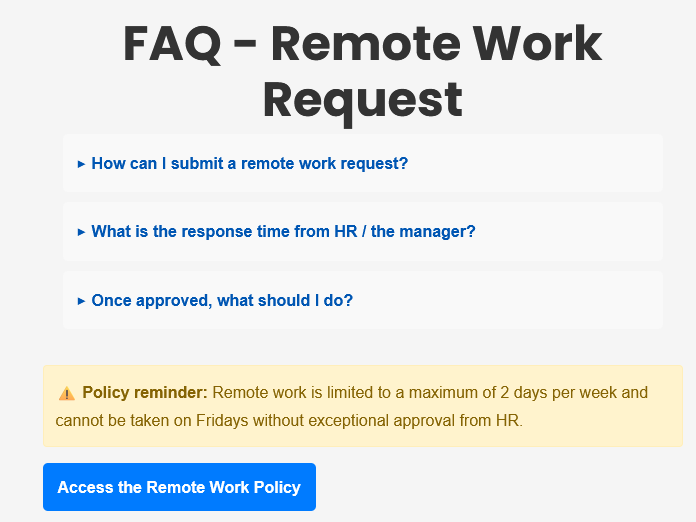
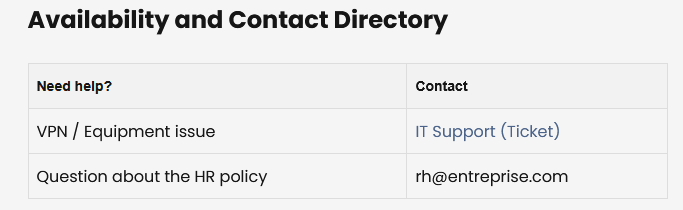
In addition to collecting information, you have the option to insert HTML code to improve your form with any type of content: FAQs, reminders, download links, tables, internal news, etc.
Simply choose the "HTML Code" question type and insert your code in the "HTML Markup" field.
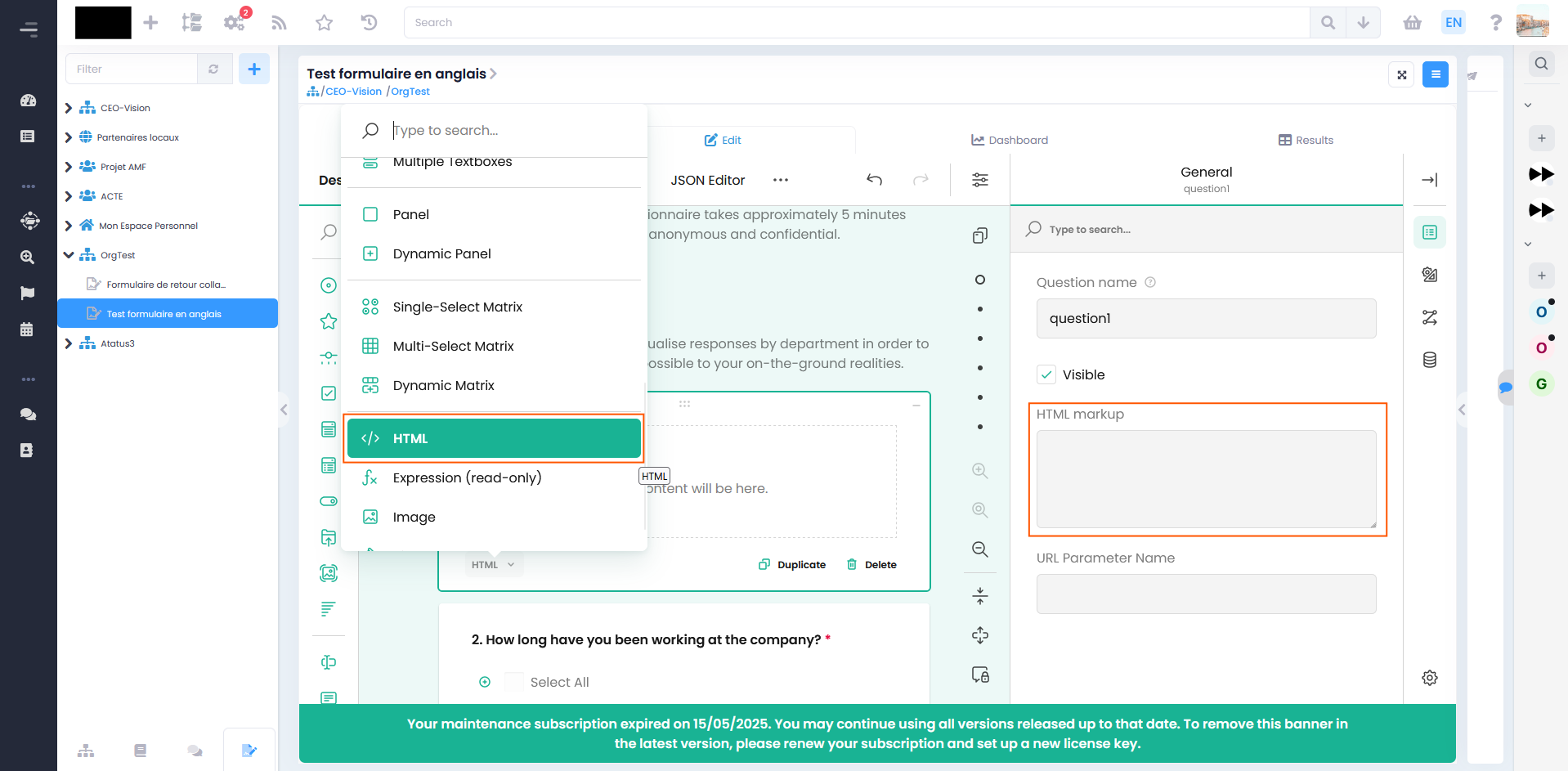
And here are a few examples of results:
· FAQ, reminder with a document access button:
· Reference table with clickable links :
GoFAST forms offer many more features than those presented here. For further details, you will find the full documentation at the following link: https://gofast-docs.readthedocs.io/en/latest/docs-gofast-users/doc-gofast-guide-utilisateurs_4.html
We hope this helps and remain available for any questions you may have.
CEO-Vision Team
Hello! It looks like you're interested in this conversation, but you don't have an account yet.
Getting fed up of having to scroll through the same posts each visit? When you register for an account, you'll always come back to exactly where you were before, and choose to be notified of new replies (either via email, or push notification). You'll also be able to save bookmarks and upvote posts to show your appreciation to other community members.
With your input, this post could be even better 💗
Register Login