Skip to content
  • Categories
  • Recent
  • Popular
Collapse
Brand Logo
  1. Home
  2. Categories
  3. Sujets Fonctionnels
  4. Prévisualisation correcte d’un document Excel

Prévisualisation correcte d’un document Excel
Scheduled Pinned Locked Moved Sujets Fonctionnels
3 Posts 3 Posters 1.1k Views 3 Watching
  • Oldest to Newest
  • Newest to Oldest
  • Most Votes
Reply
  • Reply as topic
Log in to reply
This topic has been deleted. Only users with topic management privileges can see it.
  • cmarionC Offline
    cmarionC Offline
    cmarion
    wrote on last edited by cpotter
    #1

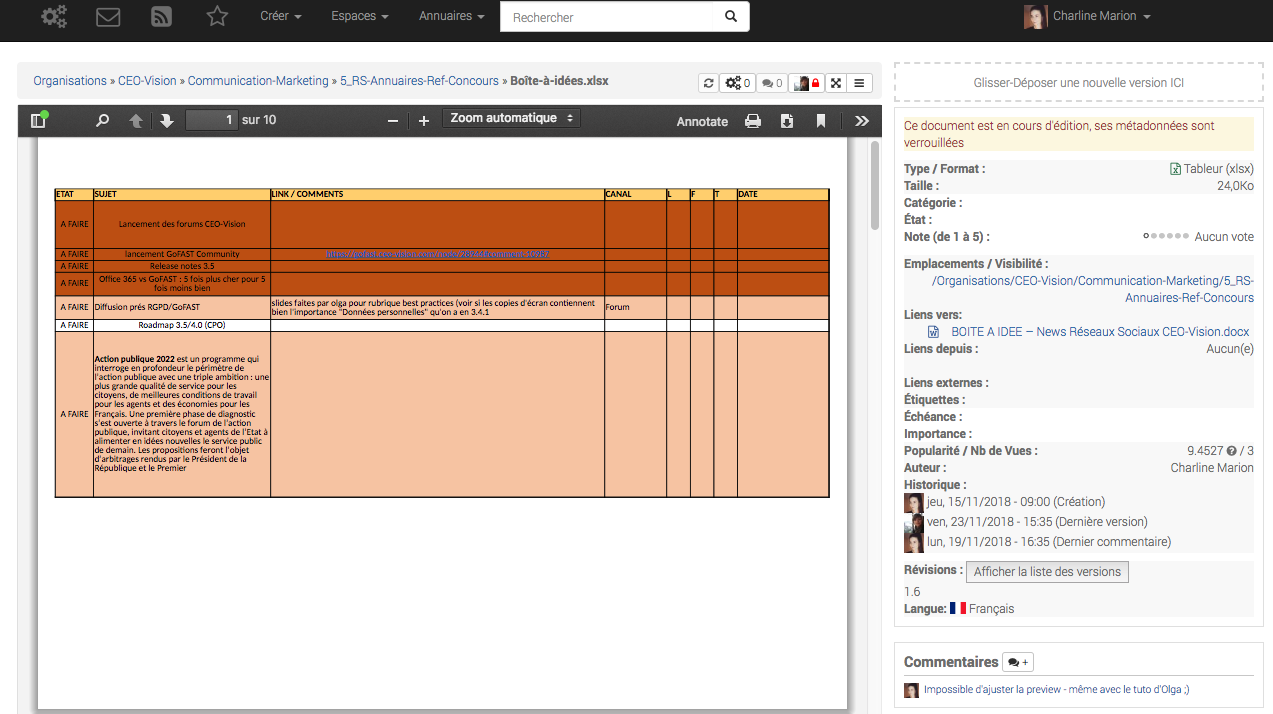
    Pour afficher correctement votre document Excel dans la prévisualisation PDF, voici la procédure à suivre dans Microsoft office 2013 :

    Rendez vous sur l’onglet « Fichier/Imprimer ».
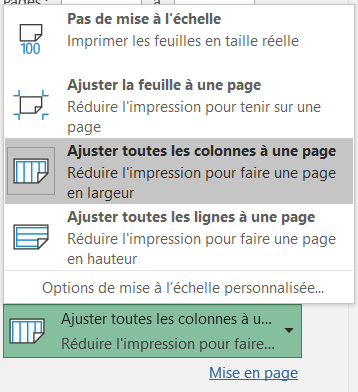
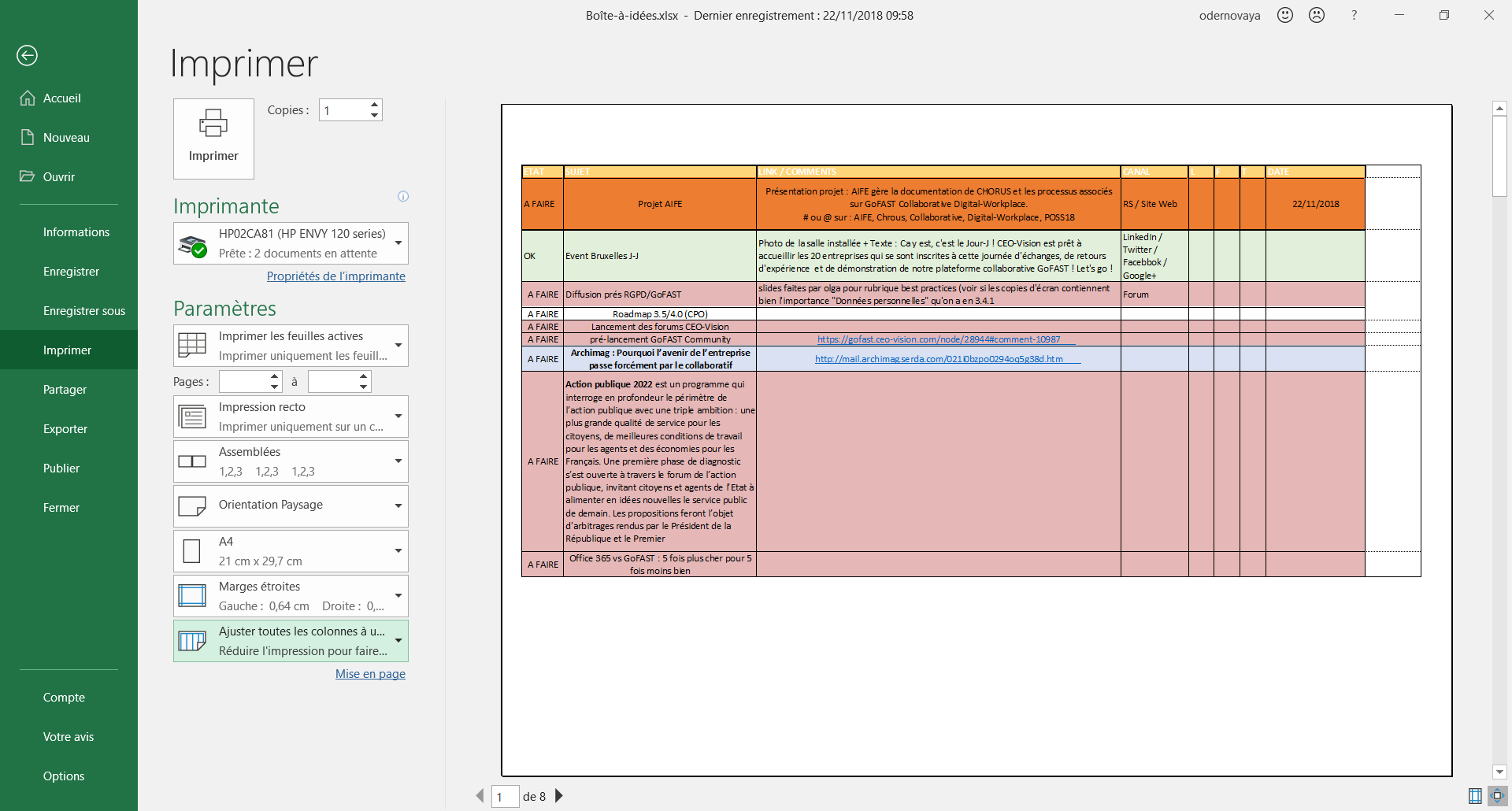
    Allez dans « Ajuster toutes les colonnes à une seule page » :
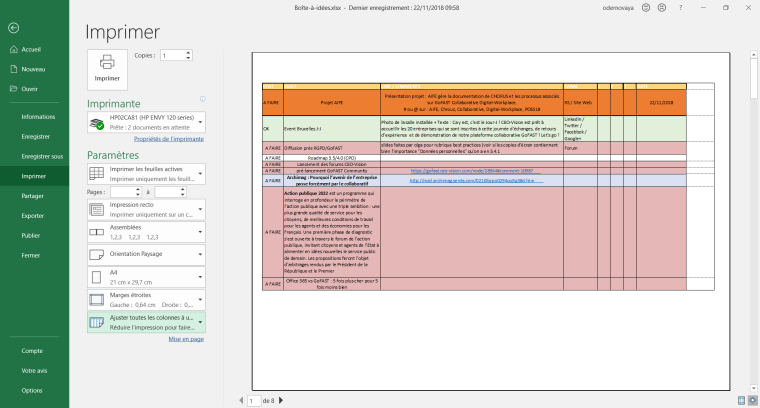
    0_1542984125078_Capture_ajuster les marges pour prévisualisation GoFAST_1.png
    0_1542984145213_Capture_ajuster les marges pour prévisualisation GoFAST_2.png

    Si besoin, vous pouvez également modifier l’orientation de la page

    Résultats :
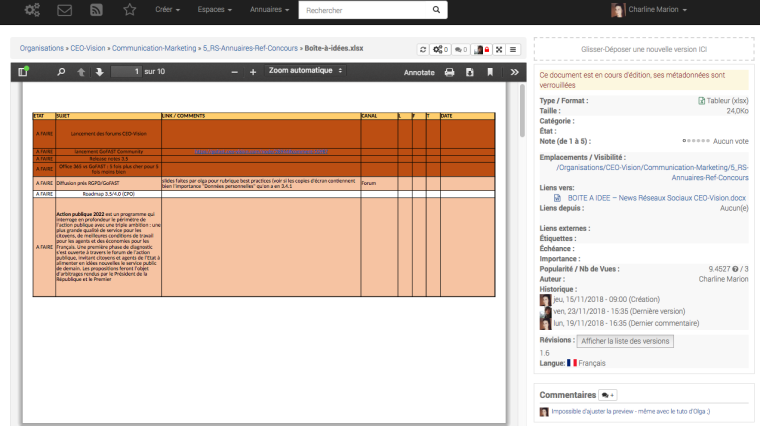
    0_1542984388824_Capture d’écran 2018-11-23 à 15.43.31.png

    1 Reply Last reply
    1
    • adminA Offline
      adminA Offline
      admin
      ADMIN
      wrote on last edited by
      #2

      A noter à ce sujet que malheureusement OnlyOffice comporte un bug qui fait qu'il ne conserve pas la zone d'impression. Editer avec OnlyOffice fera donc perdre le formattage fait sous MS-office

      1 Reply Last reply
      0
      • cpotterC Offline
        cpotterC Offline
        cpotter
        ADMIN
        wrote on last edited by
        #3

        Onlyoffice a corrigé depuis plusieurs versions la mise à l'échelle permettant une prévisualisation correcte des fichiers Excel.

        Pour chaque onglets, positionner "Mettre à l'échelle / Largeur / 1 Page"

        Bien sûr la zone d'impression doit correspondre à la zone qu'on souhaite imprimer

        Christopher Potter
        Fondateur & Président / Founder & President,
        CEO-Vision S.A.S

        1 Reply Last reply
        0

        Hello! It looks like you're interested in this conversation, but you don't have an account yet.

        Getting fed up of having to scroll through the same posts each visit? When you register for an account, you'll always come back to exactly where you were before, and choose to be notified of new replies (either via email, or push notification). You'll also be able to save bookmarks and upvote posts to show your appreciation to other community members.

        With your input, this post could be even better 💗

        Register Login
        Reply
        • Reply as topic
        Log in to reply
        • Oldest to Newest
        • Newest to Oldest
        • Most Votes


        • Login

        • Don't have an account? Register

        • Search
        • First post
          Last post
        0
        • Categories
        • Recent
        • Popular
        • Search